Follow the steps to apply for a loan from Banco Mercantil.
Need extra credit to organize your finances or carry out a personal project? Learn how to apply for a loan at Banco Mercantil quickly, easily, and securely to take care of your daily life.
The process for applying for a loan from Banco Mercantil offers flexibility.
You can complete the entire simulation and contracting process directly through the official WhatsApp, the dedicated app, or by visiting a physical branch.
Before confirming the contract, compare the rates and terms offered.
Verify your identity and use only the institution's official channels.
These steps help you complete your order smoothly and protect your personal data.
Main points of attention
- Use only official channels to apply for credit.
- Compare interest rates before signing the contract.
- The app offers a complete and fast digital journey.
- Customer service via WhatsApp facilitates real-time support.
- Visiting an agency is an option for those who prefer in-person support.
- Keep your documents up-to-date to expedite the review process.
Before applying, understand the loan terms and conditions offered by Banco Mercantil.
Assessing the loan terms at Banco Mercantil is the first step towards obtaining a secure loan. Before seeking credit, organize your finances and check if the installments fit within your monthly budget.
Through Mel's customer service, via the official app, or at a physical agency, check all the details. This attention helps you make better choices, avoid unforeseen problems, and plan for the future.
Personal data, income, and information for credit analysis.
To apply for a loan, the bank needs to confirm your identity and ability to repay. During the credit analysis, provide basic documents that prove who you are and how much you earn.
Generally, the necessary items include:
- Official identification document with photo (RG or CNH).
- Updated proof of residency.
- Recent proof of income, such as pay stubs or bank statements.
This information helps the institution assess the risk of the transaction. Keep your registration details up to date to facilitate approval.
Costs involved, timeframe, installments, and total contracted value.
When simulating a loan, don't just consider the monthly payment amount. Look at the Total Effective Cost (TEC), including interest, administrative fees, and taxes for the Banco Mercantil loan.
Also consider the chosen payment term. Longer terms may reduce the installment amount, but increase the total amount paid due to accrued interest.
Always compare the available options before confirming the loan. By understanding the loan terms, you can assess whether the credit is an efficient solution for your current needs.
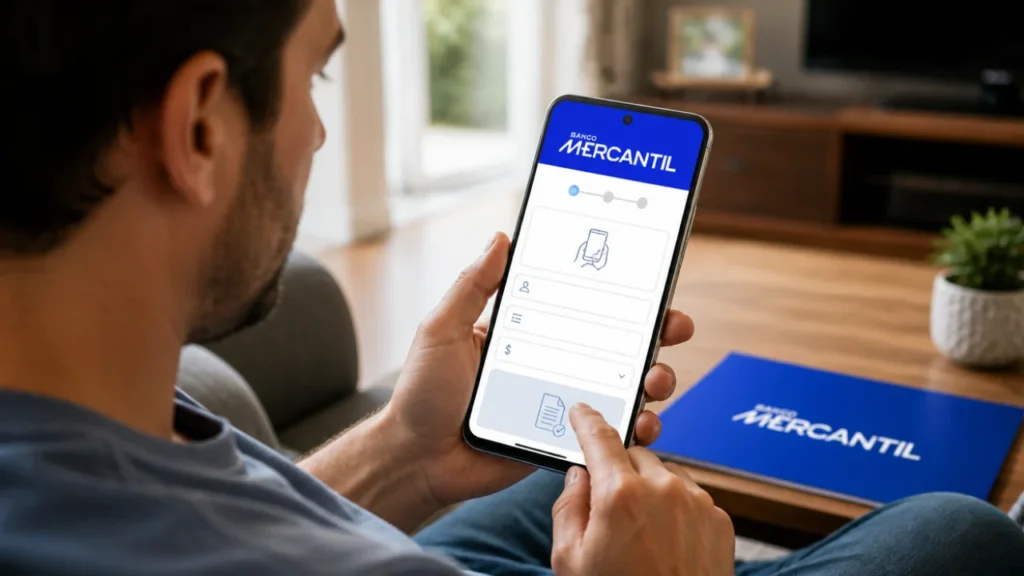
Choose the most suitable channel to place your order.
Choosing the ideal channel for your loan helps make the application process smoother. Banco Mercantil offers options for your loan online or in person.
Speak to the virtual assistant Mel by calling 0800 7070 398
A quick way to get started is by applying for a loan via WhatsApp . Talk to Mel on the official Banco Mercantil WhatsApp number, 0800 7070 398, to ask questions and get loan amount simulations.
Confirm that the contact is legitimate before sharing your information.
Protect your data throughout the entire interaction. Check the profile verification badge before contacting the official channel.
Access the “Loans” option in the app.
If you prefer autonomy, use the Mercantil app . Access “Loans” to view loan offers available in the app for your profile.
Have your phone ready to perform facial biometric authentication.
To protect the hiring process, the system will request facial biometrics . Hold your phone in a well-lit place to facilitate facial recognition.
Talk to the agency team about the available alternatives.
If you prefer personal assistance, visit a Banco Mercantil branch . Our specialists will explain the credit options and help you choose the best one for your current financial situation.
| Service Channel | Easiness | Safety | Response Time |
|---|---|---|---|
| WhatsApp (Mel) | High | Verified | Immediate |
| Application | Very tall | Biometry | Immediate |
| Agency | Media | In‑person | Variable |
Follow the step-by-step instructions to simulate and apply for your loan.
The journey to obtaining a loan begins with a well-planned simulation. Digital tools help you manage your personal finances.
Enter the desired amount and choose the payment term.
Access the system and enter the required amount. Adjust the payment term according to your monthly capacity.
Analyze the number of installments and the impact on your budget.
Carefully evaluate the loan installment amounts . Confirm that they fit within your budget without affecting essential expenses.
Check interest rates, fees, installment amounts, and total cost.
Before proceeding, check the total cost of the loan . Analyze interest rates and fees to know how much you will pay at the end of the contract.
Read the contract terms before accepting the offer.
Read the contract carefully to avoid surprises. Confirm that all clauses are clear before accepting the offer.
Perform facial biometrics in the Mercantil App when prompted.
To protect your transaction, the Mercantil app may request facial biometrics . This procedure confirms your identity quickly and securely.
Use only official channels to protect your personal data.
Always use the bank's official channels. Never share passwords or sensitive data on suspicious links or unauthorized platforms.
Confirm the bank details and transaction information.
Review the destination account details before finalizing. Accurate information prevents errors in processing your loan request.
Save the receipt and the contract for later reference.
After completing the loan application , keep the receipt. This document makes it easier to track future installments.
Check if there are any pending registration or validation issues.
If the system indicates any pending issues, resolve them as soon as possible. Regular registration is required to release the funds.
Seek guidance from an agency or through official Banco Mercantil channels.
If you have any questions during the loan simulation , seek help. Our expert support team will guide you through each step.
| Stage | Main Action | Objective |
|---|---|---|
| Simulation | Define value and deadline. | Financial planning |
| Validation | Facial biometrics | Identity security |
| Formalization | Reading the contract | Full transparency |
| Conclusion | Save receipt | Records control |
Take care of the loan after signing the contract.
Protect your financial information even after the money is deposited into your account. Data security helps prevent fraud and keeps your experience with Banco Mercantil protected.
Do not share passwords, access codes, or bank details with third parties.
Never give out personal passwords or verification codes, even to supposed bank employees. Use the official Banco Mercantil WhatsApp number , called Mel, at 0800 7070 398 for questions and support.
Be careful when performing facial biometric procedures . Use this feature only in the bank's official app. It offers extra protection and helps preserve your identity against unauthorized access.
Be wary of upfront charges or promises of guaranteed approval.
Be wary of requests for upfront payments to release your credit. Banco Mercantil does not require prior deposits to approve loans. Promises of guaranteed approval are clear signs of attempted scams.
| Safe Practice | Risky Practice | Recommended Action |
|---|---|---|
| Use official channels | Clicking on suspicious links | Verify contact |
| Keep passwords private | Sharing codes with third parties | Change passwords periodically. |
| Validate biometrics in the app. | Send photos of documents | Use only the official app. |
| Call 0800 7070 398 | Believing in easy promises | Report attempted fraud. |
Conclusion
You have several options for requesting a loan independently. Banco Mercantil offers service through its official WhatsApp number, the Mercantil App, or at a Banco Mercantil branch. Choose the channel that best suits your needs.
Analyze the interest rates and the impact of installments on your monthly budget before closing the deal. Taking out a loan requires attention to the details of the contract. Read each clause carefully to avoid future surprises.
Protect your personal data throughout the entire process. Use only official channels to submit documents or perform facial biometrics. Banco Mercantil values your digital security at every stage of the application.
Share this guide with someone who is looking for responsible credit. Assess your finances and make the best decision for your current life situation.
By clicking the button you will be redirected to another website.
FAQ
How can I apply for a loan at Banco Mercantil?
You have three main and secure ways to apply for the loan. Talk to the virtual assistant Mel via the official WhatsApp number, 0800 7070 398. You can also use “Loans” in the Mercantil App or go to a branch to speak with the team.
What is the official WhatsApp number for Banco Mercantil to simulate a loan?
The official WhatsApp number for the virtual assistant Mel is 0800 7070 398. Before sending any data, please confirm the official verification badge to protect your personal information.
Why do I need to perform facial biometrics when hiring through the app?
Facial biometrics enhances the security of the Mercantil App. It confirms your identity and shows that you placed the order. This helps prevent fraud and unauthorized access to your banking information during the 100% digital purchase process.
What should I look for before confirming the loan simulation?
Before accepting, check the total amount, the number of installments, the term, and the impact on your monthly budget. Verify interest rates and charges, and read all the terms and conditions before final approval.
What information is needed for Banco Mercantil's credit analysis?
To analyze your request, the bank needs your personal information and current income. With these documents and your financial history, Banco Mercantil will determine the credit limit and conditions that best suit your profile.
Does Banco Mercantil charge upfront fees to release the money?
No. Never make deposits or advance payments to obtain loan approval or release. Banco Mercantil does not request this. Be wary of promises of guaranteed approval linked to upfront payments.
How can I ensure the security of my data after taking out the loan?
After signing up, use only official Banco Mercantil channels. Never share passwords, access codes, or tokens, even with people who claim to work for the bank. Keep your receipt and contract for future reference.
What should I do if I have questions during the step-by-step process of digital contracting?
If you have difficulty using the Mercantil App or Mel's WhatsApp, please visit a physical branch. You can also contact official customer service channels to check for any pending issues with your registration or order validation.