How to Consult and Use the People's Gas: A Complete Guide
Many Brazilian families need support to prepare their daily meals. Gás do Povo offers essential help with the monthly household budget.
People's Gas
💻See the step-by-step guide to the People's Gas Benefit
REGISTRATION GUIDEYou will remain on this site.
To use this assistance, understand the correct verification procedures. This complete guide to the People's Gas program explains each step so your family can receive the appropriate support, without bureaucracy.
Use official channels to check the People's Gas Voucher safely.
Check your eligibility, verify any outstanding registration issues, and track the approval process.
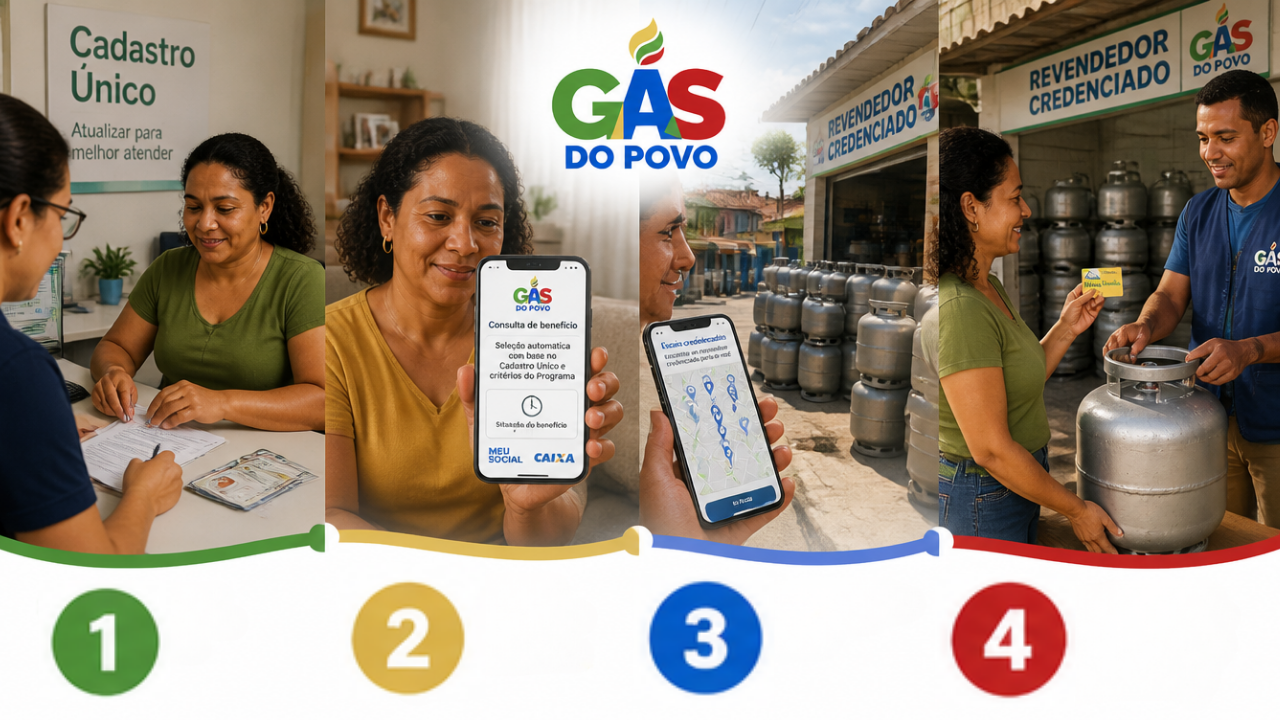
Next, request the voucher to exchange your 13 kg gas cylinder . Follow these instructions to use the benefit at authorized retailers.
Keep your information up to date and maintain continuous access to this essential resource in your home.
Main points of attention
- Always check your eligibility on official government websites.
- Keep your registration information up to date to avoid interruptions in receiving payments.
- Keep track of your approval status before claiming your voucher.
- Use only authorized dealers to make the exchange.
- The benefit applies exclusively to the 13 kg gas cylinder.
Who can receive the People's Gas program and what requirements must they meet?
Do you know who is eligible to receive the People's Gas program? The benefit requires specific criteria to reach those who truly need it.
Active and up-to-date registration in the Single Registry.
To find out who can receive Gás do Povo (People's Gas), check your registration in the Cadastro Único (Single Registry). It must be active and up-to-date to confirm your eligibility.
Family income within the program's limit.
Family income is one of the main requirements for the People's Gas program. The program prioritizes families with low monthly earnings, within the official limit.
Responsible family member and contact information correctly provided.
Keep your registration information up to date. Check the name of the family head, address, and phone number, as errors may prevent contact and receipt of the voucher.
CadÚnico (Single Registry for Social Programs) outdated for more than two years or with undeclared changes.
Failure to update your Single Registry can lead to exclusion. After two years without review, access may be suspended.
The same can happen when changes in family composition are not reported.
Family income incompatible with official criteria.
If the family income exceeds the permitted limit, the benefit will be automatically denied. The declared values must reflect the current reality of the household.
CPF, address, family composition, or other inconsistent data
Discrepancies in your information, such as an irregular CPF (Brazilian taxpayer ID) or an incorrect address, create inconsistencies. These errors prevent the responsible authorities from validating your profile.
Accumulation of benefits, duplicate registration, or administrative block.
Some situations lead to the cancellation or suspension of aid. See the main reasons why families are removed from the approved list:
- Duplicate registration (when the same person appears in two different records).
- Accumulation of benefits that are not permitted by the program rules.
- Administrative blocks due to suspected fraud or irregularity.
- There are discrepancies in the information between the Unified Registry and the Federal Revenue Service.
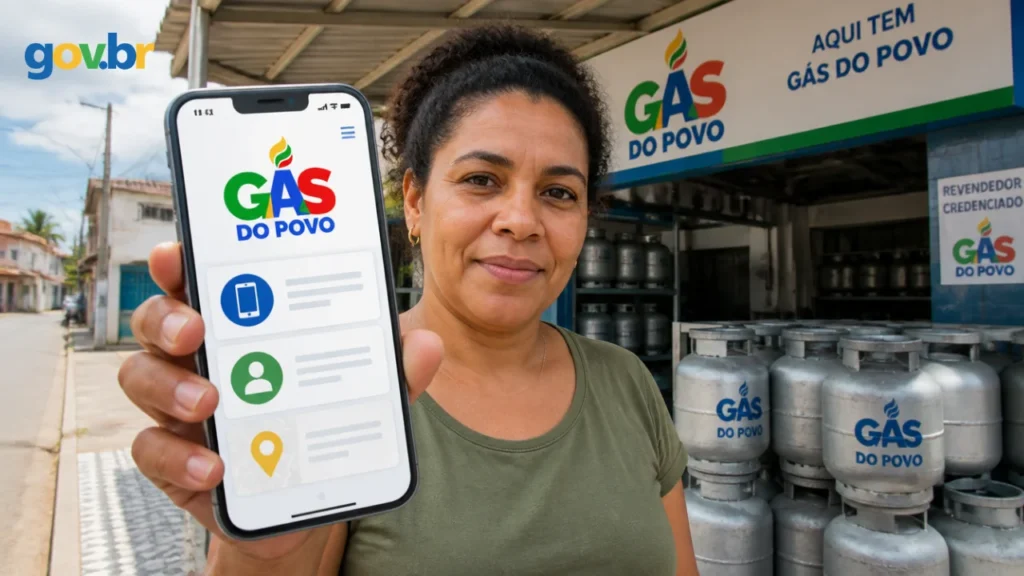
Following the People's Gas requirements helps keep your benefit active. Update your information to avoid interruptions in receiving it.
Steps to check the People's Gas information on official channels.
Knowing how to check your Gas for People avoids conflicting information and helps you get the support you need. The process is simple, but requires attention to validate the data correctly in the system.
Have your CPF (Brazilian individual taxpayer registration number), the family head's document, and CadÚnico (Brazilian social welfare registry) information on hand.
Before you begin, gather the CPF (Brazilian taxpayer ID) of the family head and the data from the Cadastro Único (Single Registry for Social Programs). This information speeds up the process and prevents errors that could prevent access to your data.
Please confirm the mobile phone number, address, and city registered in your account.
Keep your contact information up to date, including your phone number and address. The system uses this information to confirm the beneficiary's identity during benefit inquiries.
Locate the benefit inquiry option in the official app indicated by the Federal Government.
Use only the official app recommended by the Federal Government. Avoid third-party tools, as they may expose your personal data.
Access the gov.br portal and use only pages with an official domain.
When browsing, confirm that you are on the gov.br portal. Check that the address ends in “.gov.br” to ensure you are using a secure and official page.
Check if the result appears as approved, available, pending, blocked, or ineligible.
After the search, the system will show the current status of the request. It may appear as approved, available, pending, blocked, or ineligible. Understanding this result helps you know if you need to take action.
| Status | Meaning | Recommended Action |
|---|---|---|
| Okay | Benefit released | Wait for the schedule. |
| Pending | Incomplete data | Update CadÚnico |
| locked | Irregularity detected. | Look for the CRAS (Social Assistance Reference Center). |
| Not eligible | Criteria not met | Review requirements |
Find the CRAS (Social Assistance Reference Center) or the office responsible for the Unified Registry in your municipality.
If you need guidance, visit the nearest CRAS (Social Assistance Reference Center) or Unified Registry office. Professionals there can help resolve any registration issues.
Request a review of the benefit status and the reason for any pending issues.
Request a detailed review of the benefit status. Ask for the reason for any outstanding issues so you can accurately correct any errors.
Record the protocol number, date of service, and guidance received.
Write down the service request number, the date of service, and the instructions you received. These records protect your rights if you need to return to the location.
By clicking the button you will remain on this site.
Guide to resolving pending issues and passing benefit verification.
If you encountered problems verifying your benefit, there are simple ways to resolve them. Seek in-person assistance at the CRAS (Social Assistance Reference Center) in your region to update your CadÚnico (Single Registry for Social Programs) and verify all your information.
Schedule or request an update to your registration at the CRAS (Social Assistance Reference Center).
The CRAS (Social Assistance Reference Center) is the official place to address irregularities. Contact the nearest unit to schedule an appointment and avoid unnecessary queues.
Bring documents for all family members and proof of address.
When you go, bring the original documents for each person who lives in the house. Also bring an updated proof of address, avoiding any issues with your benefit due to inability to locate your address.
Please report changes in income, births, deaths, separations, or changes of address.
Report any changes in your family immediately. Keeping the system updated prevents payment suspension due to outdated information.
Provide proof of formal or informal income, benefits, or self-employment.
If your income has changed, bring the necessary supporting documents to verify your eligibility for benefits. Include pay stubs, self-employment statements, and statements of other benefits received.
Explain variable income and request accurate documentation of family circumstances.
Income that fluctuates monthly can confuse the system. Explain your situation to the attendant so they can record your current financial reality.
Check that all people living in the residence are correctly registered.
Family composition is crucial for approval. Verify that all residents are included in the registration to avoid inconsistencies.
Compare name, date of birth, parentage, and CPF (Brazilian taxpayer ID) in the CadÚnico (Brazilian social welfare registry) and the Federal Revenue Service.
Compare name, date of birth, parentage, and CPF (Brazilian taxpayer ID) in the CadÚnico (Brazilian social welfare registry) and the Federal Revenue Service. Data discrepancies frequently cause account blocks and may indicate typing errors.
Correct any discrepancies with the responsible agency before requesting a new review.
If there is an error in your CPF (Brazilian taxpayer ID), contact the Federal Revenue Service before returning to the CRAS (Social Assistance Reference Center). Resolving the issue at the source facilitates the release of the aid.
Update your phone number, address, and city to avoid communication problems.
Keep your phone number, address, and city updated to receive important notifications. An outdated phone number may prevent you from accessing new program requirements.
Please check the app or portal again after the deadline given by customer service.
After updating your information, wait for the time frame indicated by the customer service representative. Then, access the official portal to verify if the situation has been resolved.
Check if the block has been converted to approval or if a new requirement has arisen.
Check the status of your order regularly. The system may request additional documents after the initial review.
Do not provide your password, authentication code, or payment information to intermediaries.
The service is free and public. Never pay for appointments or give your personal passwords to third parties. This could put your data at risk.
| Pending Type | Action Required | Location of Resolution |
|---|---|---|
| Discrepant Personal Data | Correcting your CPF (Brazilian taxpayer ID) with the Federal Revenue Service | Federal Revenue Service or Website |
| Outdated Income | Bring proof of earnings. | TOMORROW |
| Family Composition | Include or exclude residents | TOMORROW |
| Incorrect Address | Present proof of residence. | TOMORROW |
How to receive the notification, request the voucher, and exchange it for the 13 kg gas cylinder.
Check the notification in the official app, via message, or through the channel indicated in your registration.
See how to use the benefit notification to receive a 13 kg gas cylinder at your home. The notification of eligibility arrives through the official app, SMS, or channels provided during registration.
Confirm your name, CPF (Brazilian tax identification number), expiration date, number of recharges, and the rules displayed on the voucher.
When logging into the system, carefully check all the information. Verify your name, CPF (Brazilian tax identification number), gas voucher expiration date, and the number of available refills.
Use only information registered on official channels to avoid scams.
Consult only information from government portals. Never share your data on suspicious links to avoid potential fraud.
Open the benefits section and select the option to request or activate the voucher.
In the app, open the program area and select the activation option. Then, follow the next steps.
Confirm the account holder's details and the municipality of use.
Check if the municipality of residence is correct in the system. Confirming the account holder's information helps to release the benefit.
Save the code, QR code, or digital receipt when the system makes this feature available.
After activation, save the generated code or QR code. The digital receipt will be used at the time of exchange.
Seek official assistance if the request option does not appear.
If the request button does not appear, contact technical support. Do not attempt any procedures through unauthorized means.
Consult the list or locator of authorized resellers for the program.
Use the program's official map to find an authorized reseller. Only authorized establishments can process the voucher.
Before purchasing, confirm that the reseller accepts Gás do Povo and an active voucher.
Before leaving, call your chosen retailer. Ask if they accept the "People's Gas" program and the active gas voucher.
Avoid giving the code to unaccredited establishments or third parties.
Never give your code to locations outside the official network. Protect your information from misuse by third parties.
Present the app, QR code, voucher code, or required document at the retailer.
Upon arrival, present the app, QR code, or voucher code. Also bring the required photo ID.
Enter the beneficiary's CPF (Brazilian tax identification number) and follow the validation instructions provided by the operator.
The attendant will ask for the beneficiary's CPF (Brazilian tax identification number) for verification. Follow the instructions of the authorized reseller.
Return the empty gas cylinder when this is a requirement for regular replacement.
Return the empty gas cylinder if the program requires a replacement. This procedure helps maintain the distribution cycle.
Receive your 13 kg LPG cylinder under the conditions stipulated in the program.
After validation, you will receive the 13 kg gas cylinder. Check that the product is in good condition for use.
Check the seal, the condition of the container, and the receipt or proof of purchase before leaving.
Before leaving, check that the seal is intact. Ask for the invoice or proof of purchase.
Check the validity, status, municipality, usage limit, and correspondence of the CPF (Brazilian taxpayer identification number).
Check if the validity period, status, municipality, and usage limit are correct. Also, verify that the CPF (Brazilian taxpayer ID) matches the registration.
Ask for the reason for the refusal and keep the receipt or error message.
If the exchange is refused, ask for a written explanation. Save the error message to show to support.
Contact the program's official channel or the CRAS (Social Assistance Reference Center) without paying for the regularization.
If in doubt, contact the CRAS (Social Assistance Reference Center) in your area. Official assistance is always free.
Do not accept conversion of the voucher into cash or any improper charges for the benefit.
The voucher is only valid for exchanging the gas cylinder. Never accept cash in place of the voucher or extra charges for the service.
Conclusion
Access to the People's Gas program requires attention to the data in the Unified Registry. Keep your income and family information updated to avoid unexpected system blocks.
If you have any issues or technical difficulties, contact the CRAS (Social Assistance Reference Center) in your area. Use only official channels to check your status and avoid scams involving fake benefits.
When using the Gás do Povo voucher, only go to an authorized reseller. The gas cylinder exchange must be done directly, without intermediaries or extra payments.
Never share access codes with strangers or try to convert the aid into cash. Protecting your data ensures that support reaches those who truly need it in their home.
Keep up with program updates so you don't miss important deadlines. Your informed participation strengthens the social safety net and ensures the proper use of this essential resource.
By clicking the button you will remain on this site.
FAQ
Who is entitled to receive the People's Gas benefit?
To access the program, you need to have an active and up-to-date registration in the Unified Registry (CadÚnico). In addition, your family income must respect the limits defined by the Government. The data of the family head, such as CPF (Brazilian taxpayer ID) and address, must match the Federal Revenue Service records to avoid being blocked.
How can I check if my gas voucher has been approved?
Check your benefit status using your CPF (Brazilian taxpayer ID) and the data of the family head on the official gov.br portal. You can also use the specific app indicated by the Federal Government. Check the status: if it appears as "approved" or "available," proceed to redeem; "pending" or "ineligible" requires reviewing the data.
What should I do if my registration in the CadÚnico (Single Registry for Social Programs) is outdated?
If the data is more than two years out of date, schedule an in-person appointment at the CRAS (Social Assistance Reference Center) in your municipality. Do this also after changes in the family, births, deaths, or changes in income. Bring the residents' documents and proof of income to update the registration and request a new review.
How does the exchange process for the 13 kg gas cylinder work?
After receiving the notification and activating the voucher in the official app, you will receive a code or QR code. Take this code and your identification document to an authorized LPG reseller. When exchanging the empty cylinder, hand over your empty one and receive a new 13 kg cylinder, with the seal intact, at an authorized establishment.
Can I exchange my Gás do Povo voucher for cash or other products?
No. The benefit is only valid for purchasing a 13 kg cooking gas cylinder. It is forbidden to exchange the value for money or groceries. Never pay extra fees to intermediaries or provide passwords and authentication codes to strangers.
Why does my benefit appear as blocked or suspended?
The most common reasons are discrepancies in the NIS (Social Identification Number) and family income exceeding the permitted limit. Duplicate registrations or lack of updates in the CadÚnico (Single Registry for Social Programs) may also occur. Contact the nearest CRAS (Social Assistance Reference Center) to find out the exact reason and register a request to correct any outstanding issues.
How do I identify an authorized reseller to use my voucher?
Locate accredited sales points on the map or in the list on the program's official app. Before exchanging, confirm that the reseller accepts Gás do Povo and validate your CPF (Brazilian tax identification number) in the system. Refuse informal establishments that do not officially validate your code or QR Code.